
Attio is quick to open and slow to get right. You can sign up, connect your email, and import a spreadsheet in half an hour, which is exactly the trap. Attio CRM setup fails at the data-modeling step, not the button-clicking step.
We run Attio builds for a living, and most of the “help, our Attio is a mess” calls we get come from teams that skipped structure and went straight to importing. Here’s the order that actually works, start to finish.
What Attio actually is (and why setup order matters)
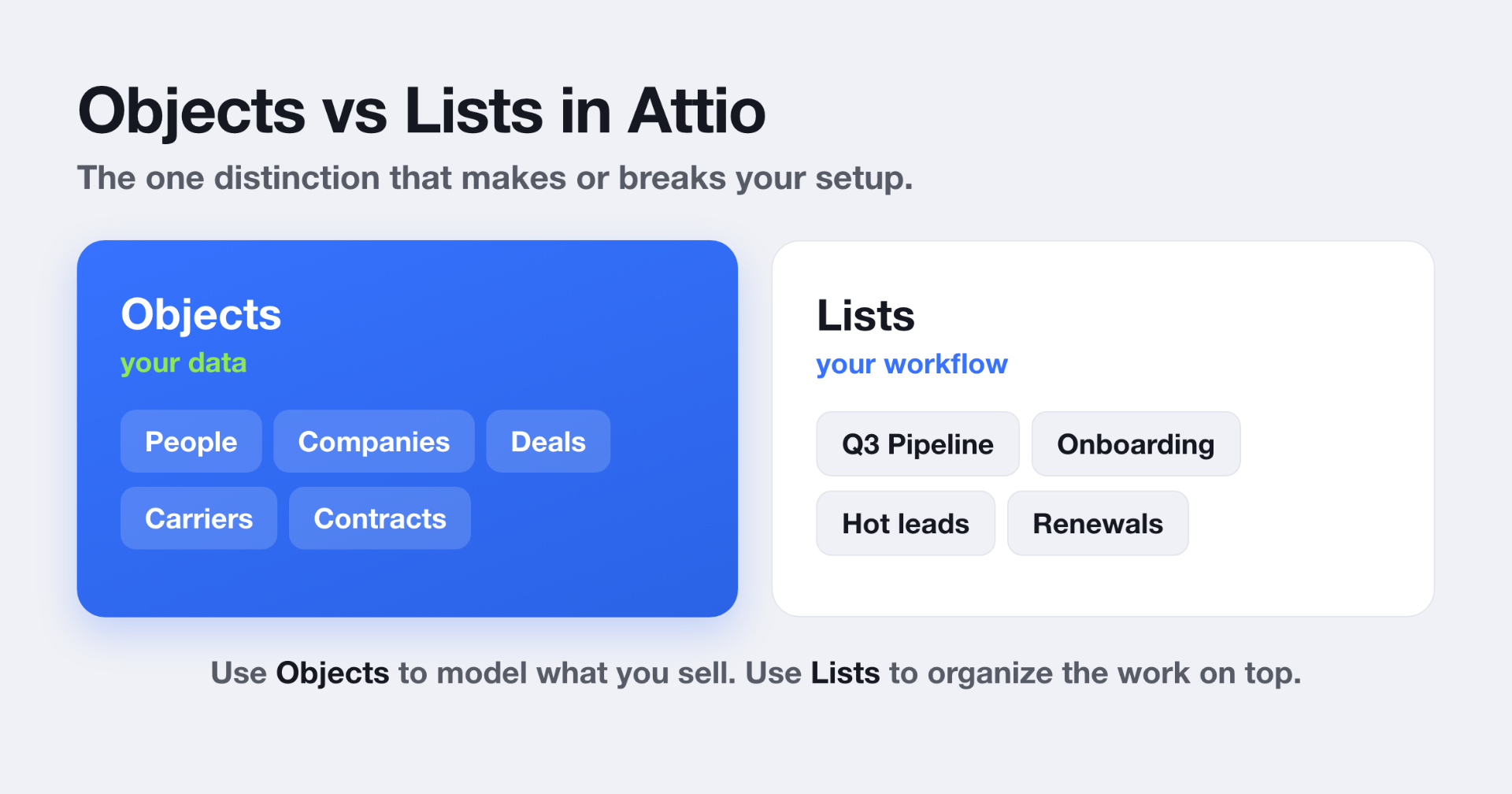
Attio isn’t a fixed set of Contacts, Companies, and Deals like older CRMs. It’s a flexible relationship database. Four pieces run it: Objects (the tables that hold a type of record), Records (the rows, like one company or one deal), Attributes (the fields), and Lists (workflow groupings that organize records without changing the underlying data). Attio’s own data model docs lay this out.
That flexibility is the whole point. It’s also why a bad schema compounds. Get the model wrong and your reporting breaks at scale, quietly, months after you thought you were done. In one Validity study, 44% of organizations said they lose more than 10% of annual revenue to low-quality CRM data (Validity, 2022). Structure is where that starts.
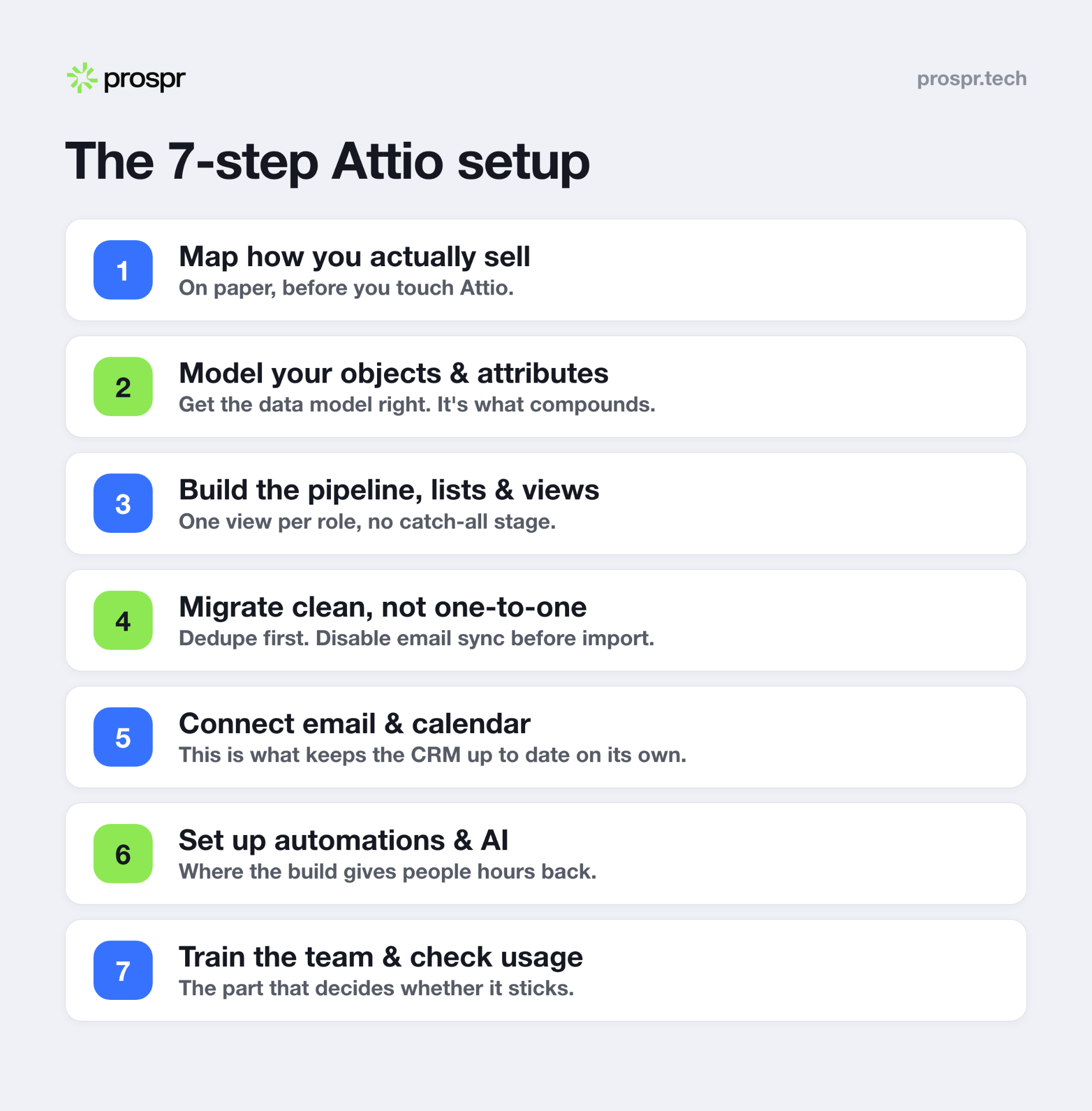
Step 1: Map how you actually sell, before you touch Attio
Write down how revenue really moves in your business. Who’s an account, what counts as a deal, what stages a deal passes through, what has to be tracked at each stage, and who needs to see what. Do it on paper. The clean UI tempts you to build first and think later. Don’t.
Step 2: Model your Attio objects and attributes
Attio ships People and Companies on by default, with Deals, Workspaces, and Users you can activate, plus custom objects for anything the standard ones don’t cover, like Partners, Investors, Carriers, or Contracts (Attio objects docs).
Two mistakes DIY teams make here:
- Over-creating custom objects when a status attribute would do the job. Every extra object is more to maintain and more places for data to hide.
- Modeling the pipeline as a List instead of the Deals object. Deals are records with their own amount, stage, owner, and close date. A List is a view on top. Use Deals for opportunities, Lists for workflows.
Step 3: Build the pipeline, lists, and per-role views
Now you build. Define your deal stages, and kill the catch-all “Unknown” stage that everything defaults into, because it’s where deals go to be forgotten. Build a List per team role so each person opens Attio to their own work instead of a firehose. Then set up the at-a-glance views your CEO and reps actually need.
Step 4: Import your data into Attio, clean, not one-to-one
Attio’s built-in Import2 migration pulls from dozens of CRMs including HubSpot, Salesforce, Pipedrive, and Zoho, and it’s free to run on Attio’s paid plans (migration docs). Two things wreck migrations:
- Migrating dirty data straight across. Clean and dedupe first. Fix phone country codes, kill invalid emails, standardize to root domains. Garbage in stays garbage.
- Forgetting to disable email sync before importing. A synced mailbox auto-creates records from incoming email, which collides with your imported records and silently produces duplicates. Attio’s own docs tell you to remove synced mailboxes first, then re-enable after you’ve validated the import.
Run a small test import before the full one. Always.
Step 5: Connect email and calendar
Connect email and calendar early. That’s what powers Attio’s automatic enrichment and activity logging, so touchpoints land on the record without anyone typing. This one step is what turns a static database into a CRM that keeps itself up to date.
Step 6: Set up automations and Attio’s AI
This is the part that makes the setup worth it, and the part most guides skip. Attio is built as an AI-native CRM, so once your data model is clean you can put it to work:
- Automations and workflows for the repetitive stuff: lead routing, reminders, stage changes, internal alerts.
- AI attributes that auto-fill fields (classify an account, summarize a company, draft a next step) from the data already on the record.
- Sequences for signal-based outreach, so a new record or a stage change can kick off the right follow-up.
- Reports and dashboards the leadership team can glance at, built on the clean model you set up in Step 2.
Automation is where a good build gives people hours back every day, which is also what makes them actually use it.
How long does Attio take to set up, and do you need a partner?
A clean greenfield build is usually 2 to 4 weeks. A migration adds a couple more. You can DIY it. Teams hire an Attio partner for the same reason we exist: the data model is easy to get wrong and expensive to unwind.
For a freight broker we work with, Tetrix Transport, we built one workspace in Attio covering carriers, loads, clients, and deals, wired in their inbound so nothing slips, and set up over 30 automations plus a daily brief on what to chase. Their whole operation used to live in spreadsheets, inboxes, and people’s heads.
Attio is a serious platform worth setting up properly. It raised a $52M Series B led by Google Ventures, has 5,000 paying customers, and counts Lovable, Granola, and Modal among its users (announcement). If you’re still choosing, our Attio vs HubSpot comparison breaks down who each is for.
FAQ
Is Attio hard to set up?
Basic setup is fast. Getting the data model right is the hard part, and it’s what decides whether the CRM lasts or rots.
How long does it take to implement Attio?
About 2 to 4 weeks for a clean build, 4 to 8 with a migration and heavier automation.
What’s the difference between objects and lists in Attio?
Objects model your data, like a Deal or a Company. Lists organize existing records into a workflow or segment without changing the object itself.
Can I migrate from HubSpot to Attio?
Yes. Attio’s Import2 pulls from dozens of CRMs including HubSpot. Disable email sync first so you don’t create duplicates.
Does Attio have a free plan?
Yes. The Free plan covers up to 3 seats and 50,000 records with automatic enrichment (rate-limited by monthly workspace credits). Paid plans start at $29 per user per month.
How much does Attio cost per user?
As of July 2026, Plus is $29 per user per month billed annually, Pro is $69, and Enterprise is custom.